








High Abandonment Rates
Slower, static product previews lead users to abandon their carts.


We provide professional website development services focused on performance, usability, and scalability. Our solutions are tailored to enhance your brand’s digital presence and drive measurable results.
Contact Us NowReduce friction between product previews and purchase decisions with 360° Product Viewer, enabling your customers to access product details faster, select variations, and add them to the cart quickly.
Trust Badges:
Compatible with WooCommerce

Mobile-friendly

Lightweight




When customers have to click through to every single product page just to see basic info

High Abandonment Rates
Slower, static product previews lead users to abandon their carts.

Reduced Credibility
Slower product previews reduce your brand credibility.

Lower Conversion Rates
If buyers don’t trust your brand, conversion rates will be lower.

Higher Cost of Customer Acquisition
High cart abandonment and lost credibility means more resources for customer acquisition.

Technical Limitations
Many default preview tools rely on heavy scripts that slow your site’s overall performance.
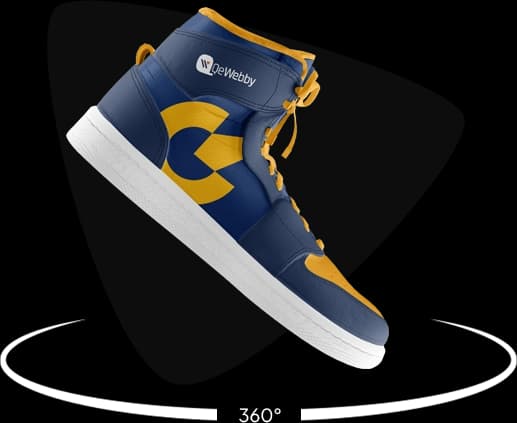
QeWebby’s 360° Product Viewer recreates the in-store product experience online. With a smooth, 360°-rotatable view, shoppers can instantly inspect every detail, reducing hesitation and accelerating purchase decisions without compromising site speed.

Interactive 360° product rotation for full visual inspection

Boosts buyer confidence by showing products from every angle

Lightweight architecture ensures fast page load performance

Reduces product returns by setting accurate expectations

Seamless integration with the existing eCommerce platform

Boost Conversion Rates
Interactive product view improves engagement, and offers more product details.

Reduce Return Rates
A 360°-degree view of the product ensures that customers get a complete picture reducing the return rates.

Go Mobile-First
With this plugin, your site will offer interactive feature which is responsive and mobile-friendly.

Reduced CAC
You can reduce the cost of customer acquisition through improved buying decisions per interaction.

Better Customization
Control every aspect of the product view, including rotation speed, navigation styles, and auto-spin settings.

Download the plugin from the WooCommerce repository and activate it.
Add your 360° product images directly from the WooCommerce dashboard.

Insert the auto-generated shortcode into your product and update.

The interactive 360° product viewer appears immediately for customers to explore.
Ideal Users
Fashion & Apparel
Show the fit, the back of the dress, or the fabric's texture.
Electronics & Gadgets
Let users inspect ports, buttons, and build quality.
Automotive Parts
Ensure customers are buying the exact part shape and fitment they need.
Luxury & Jewelry
Replicate the experience of holding a ring or watch under the light.
Furniture & Decor
Allow homeowners to visualize the item from all sides before placing a large order.
Not Ideal If...

Your site has only one or two products

You don’t use WooCommerce product listings

You prefer redirecting users to full product pages only
Manage your 360° views directly inside the WooCommerce product editor you already know.
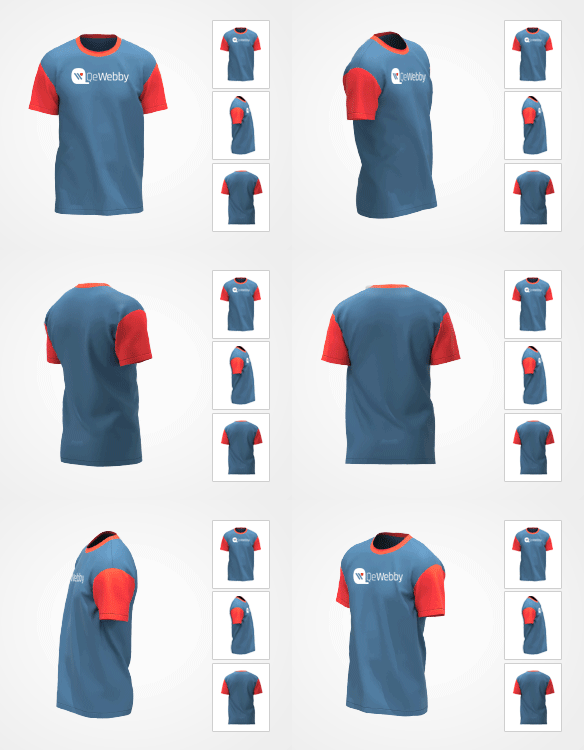
Let shoppers preview products instantly without leaving the page.